IY276996

How to use robot vacuum on different levels

Do I need to move the entire unit when using the vacuum upstairs or can I just take the vacuum? Obviously it comes back and forth for mop heads or recharge when on it’s usual floor .
You need to log in to reply. Login | Register

3 Comment

You just set the floor map of the level you want to clean take it to the floor of setting put it down it spins around then its away when it finishes it tries to find the dock but gives up and asks to take it to the dock or you can stop it and take just rember to change your map after to the floor its on
14-8-2026 17:10:34 GB Translate

Hello,

Thank you for contacting Dreame.

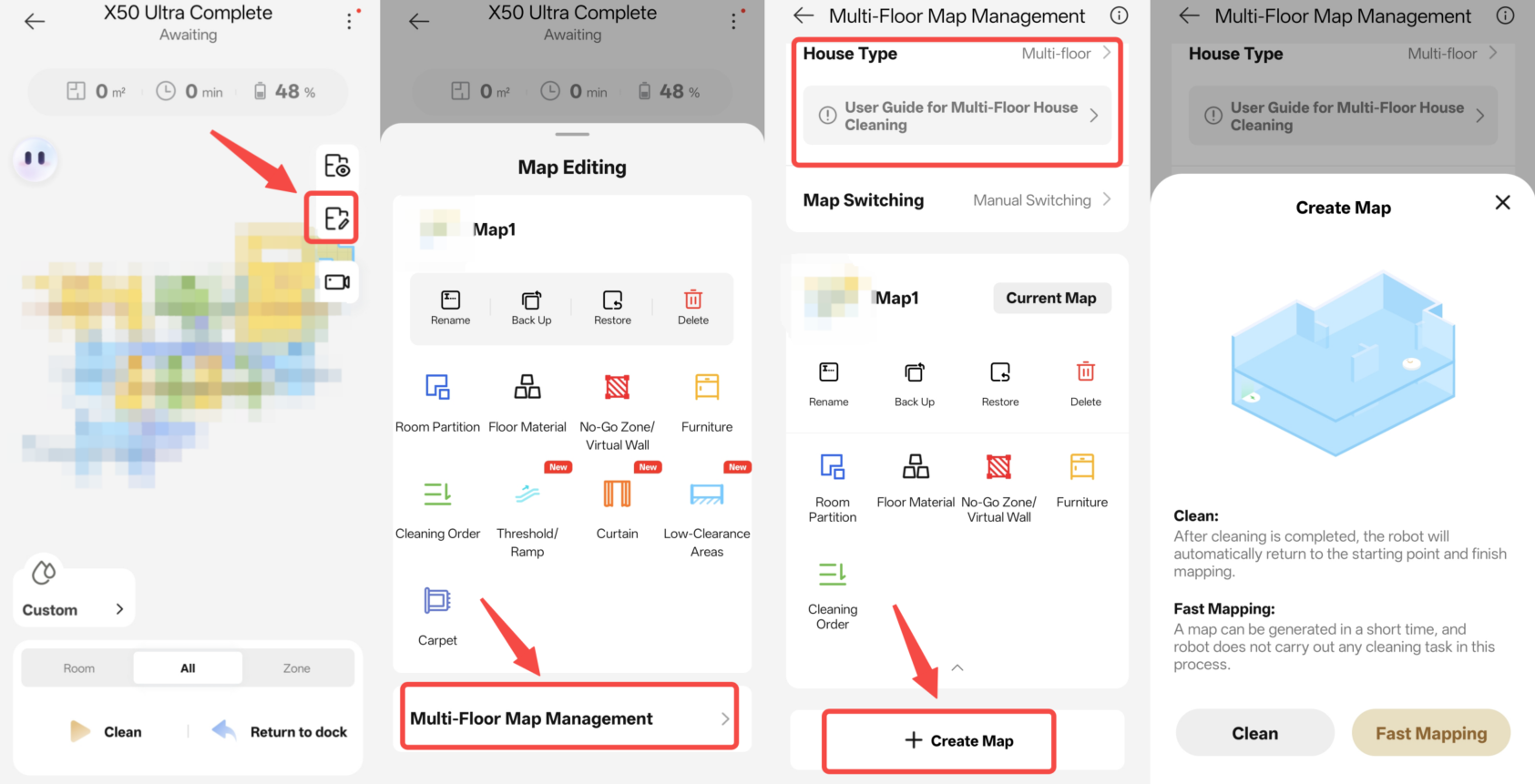
If you would like to use the robot vacuum on different floors, you can use the Multi-Floor Map feature.

Creating Multi-Floor Maps

1. When creating the first map, the robot should start from the charging dock. Once the mapping process is completed and the robot returns to the dock, the first map will be saved automatically.

2. After selecting Multi-Floor Mode, the robot will return to its starting position once it finishes mapping or cleaning on a floor without a charging dock.

3. When using Multi-Floor Mode, we recommend enabling the Smart Recognition feature to automatically switch between maps.

Note: After a map has been saved, if you notice map distortion, abnormal routes, or any unusual cleaning behavior, please delete the map and create a new one by remapping the area.

Cleaning on Multiple Floors

1. Move the robot to the target floor where there is no charging dock, then start the cleaning task through the app or by pressing the button on the robot.

2. During mopping, you can manually move the robot back to the charging dock if you would like it to wash the mop pads.

3. Once all cleaning tasks are completed, the robot will return to its starting position. You can then manually place it back on the charging dock for charging.

Important Notes
1. Before starting a mopping task, please wash the mop pads through the app or manually dampen them.

2.If the robot returns to the charging dock during a cleaning task and is moved back to the target floor within 15 minutes, it will resume the unfinished task.

We hope this information is helpful. If you have any further questions, please feel free to contact us.

Thank you for your support and understanding.
17-8-2026 02:29:43 GB Translate

Reference image
17-8-2026 02:32 GB Translate
UID:IY276996 GB
  • 1Posts
  • 0Friends

© 2026 Dreame Forum All Rights Reserved | Support by Discuz! X5.0 Font by MiSans

Quick Reply Back to Top Return to List