RV216311

[L10s Ultra Gen 2] Side brush entangled

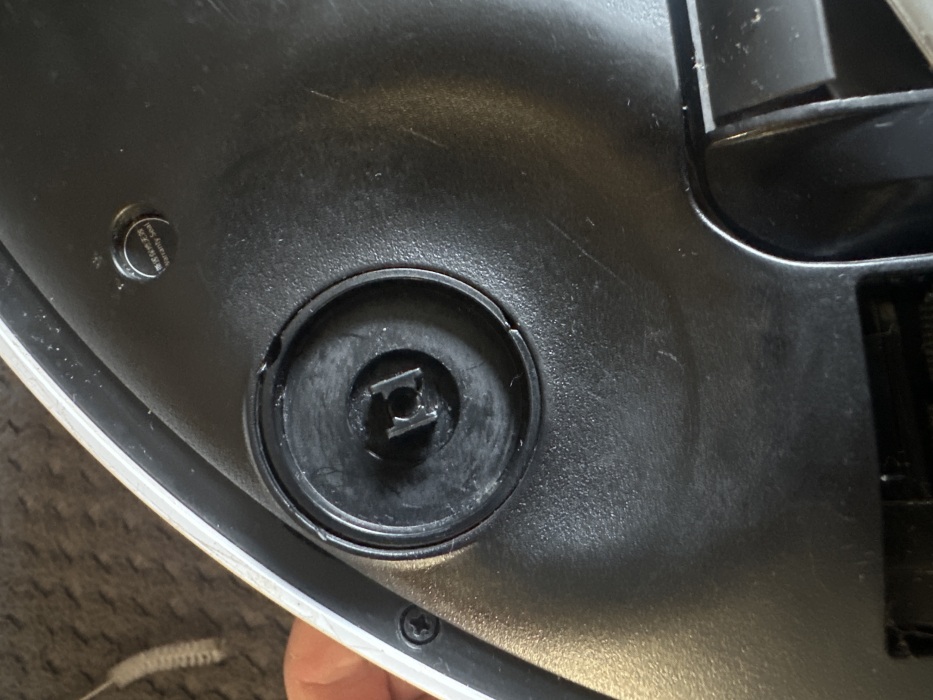
My hoover has started coming up with side brush entanglement and side brush error

I’ve tried it with and without brush attached there’s no hair on the face but could possibly be underneath the black disc around the spindle I don’t want to open it up and ruin warranty so just wondering if anyone has had this problem?
You need to log in to reply. Login | Register

1 Comment

Hello,

Thank you for contacting Dreame. We sincerely apologize for the inconvenience this issue has caused.

Regarding the problem you reported, since the robot continues to display a Side Brush Entanglement or Side Brush Error even when the side brush is removed, we recommend that you try resetting the robot.

To do this, open the robot's top cover. Near the Wi-Fi indicator light, there is a small reset hole on the side. Press and hold it for about 3 seconds until you hear the voice prompt indicating that the factory reset process has started. Then restart the robot and check whether it can operate normally.

Please note: Resetting the robot will erase all data, including any maps that have been created. We sincerely apologize for any inconvenience this may cause.

If the issue persists after the reset, there may be an internal hardware problem. In this case, please do not attempt to disassemble the robot yourself. We recommend contacting our after-sales support team and providing the following information:

The device SN (serial number)
Proof of purchase
The troubleshooting steps you have already performed

We will review the situation and provide further assistance as soon as possible.

0808 502 1616
aftersales@dreame.tech
(Mon. to Sun. 9:00–18:00)

Thank you for your understanding and cooperation.
27-8-2026 09:35:06 GB Translate

UID:RV216311 GB
  • 1Posts
  • 0Friends

© 2026 Dreame Forum All Rights Reserved | Support by Discuz! X5.0 Font by MiSans

Quick Reply Back to Top Return to List