SN294513

[L10s Ultra Gen 2] How can I remap?

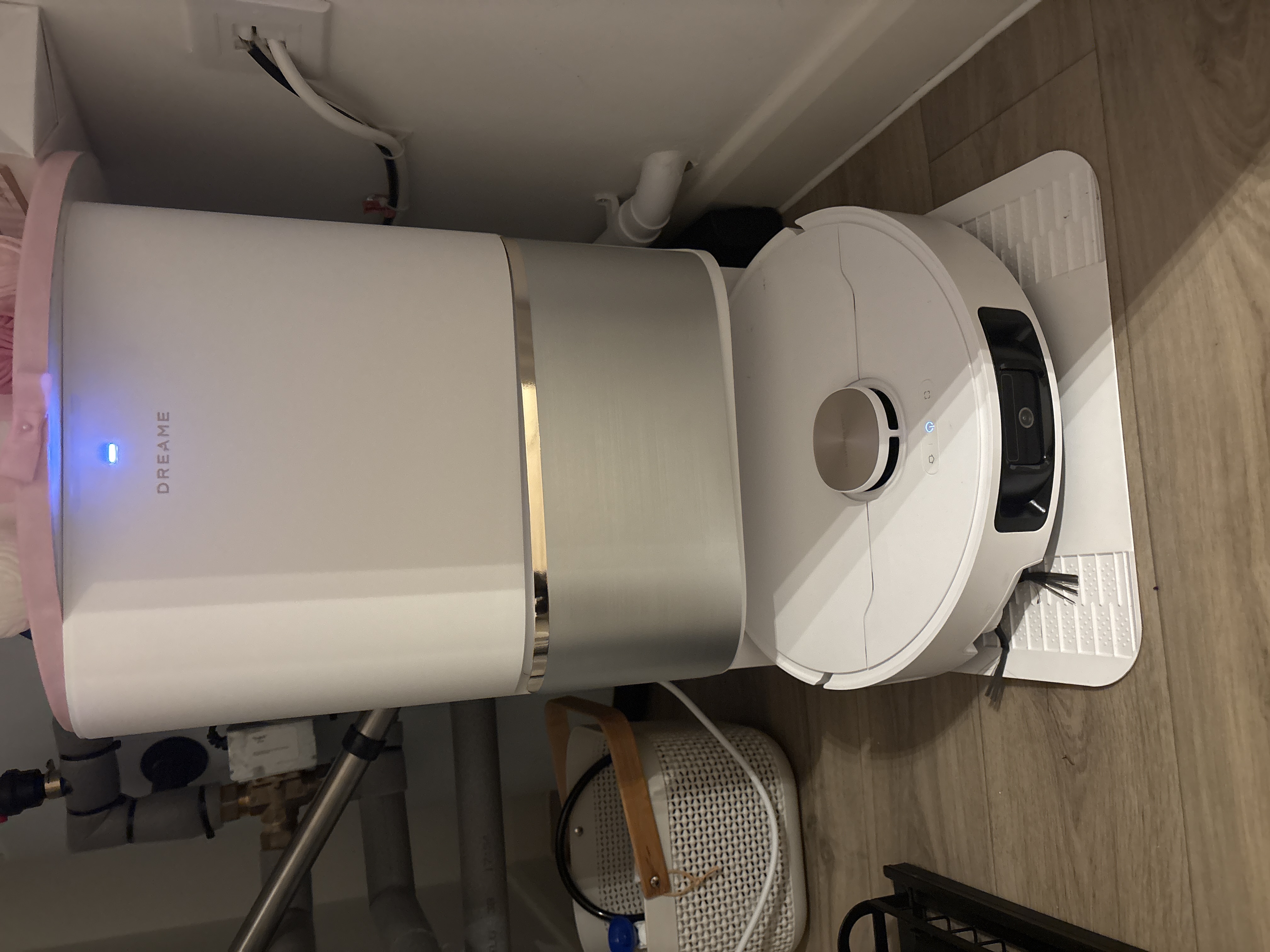
Hi. Can I remap? I have moved to a new home and now all boxes and everything been packed and stored away the and beds added to bedrooms and new carpet plates I want the upstairs done by my new baby Dreame (I do have a Henry for emergencys) but would like this one to do it for me as I am not very well and cannot move like I used to be able to. Can I re map or add the upstairs and can it be  carried upstairs or will this only work on one level? Thanks

Last edited by SN294513 on 19-10-2026 00:19
You need to log in to reply. Login | Register

2 Comment

Yes, add a new map in the app, carry it upstairs and let it map that floor. With no dock up there it'll just stop when it's done, so you'll need to carry it back down.
19-10-2026 07:04:55 GB Translate

Hello,

Yes, you can either remap your home or create a new map for an additional floor.

To create a new map:

1. Open the Dreamehome app.
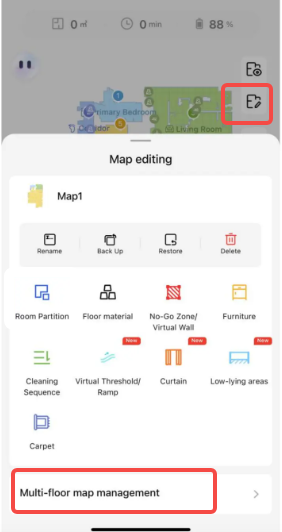
2. Tap the map icon.
3. Enable the Multi-floor Maps option.
4. Tap the "+ Create Map" button at the bottom of the screen and follow the instructions to create a new map for your upstairs area.

For cleaning on multiple floors:

1. Carry the robot to the desired floor where there is no dock and start cleaning using the app or the robot's button.

2. During mopping tasks, you can manually bring the robot back to the dock whenever you want it to wash the mop pads.

3. Once the cleaning task is finished, the robot will return to its starting position on that floor. You can then manually carry it back to the dock for charging.

Please note:

• Before mopping, we recommend washing the mop pads through the app or manually dampening them.

• If the robot returns to the dock during a cleaning task and is placed back on the target floor within 15 minutes, it will continue the cleaning task from where it left off.

We hope this information is helpful.
screenshot-20251010-095251.png
19-10-2026 09:24:54 GB Translate

UID:SN294513 GB
  • 4Posts
  • 0Friends

© 2026 Dreame Forum All Rights Reserved | Support by Discuz! X5.0 Font by MiSans

Quick Reply Back to Top Return to List